
Camera Shake on Damage Received
💡
3
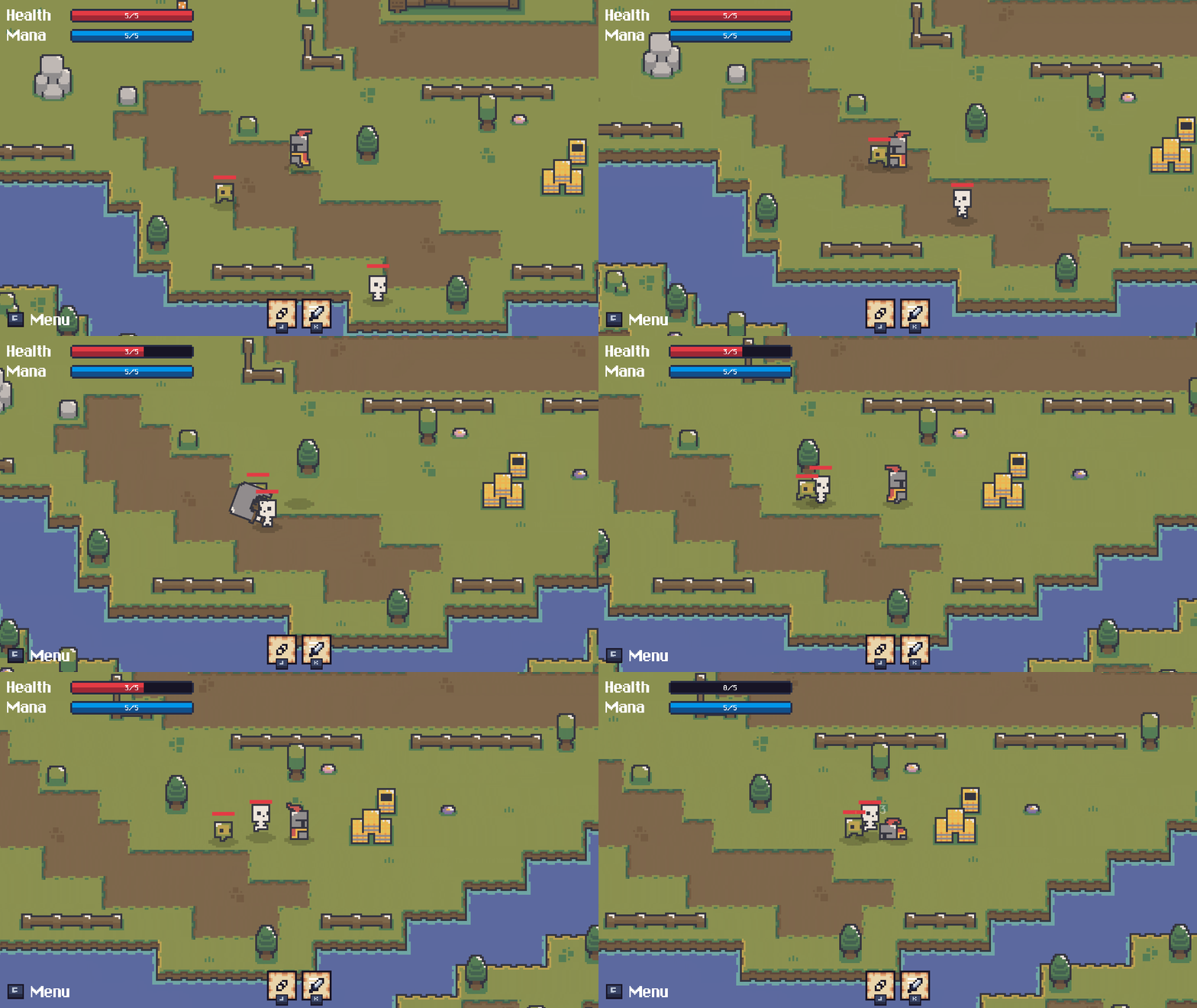
This script adds a shake effect to the camera when the player receives damage.
- Create a new script called
CameraShake.csand paste:
using Unity.Mathematics;
using UnityEngine;

namespace Gyvr.Mythril2D
{
    public class CameraShake : MonoBehaviour
    {
        [SerializeField] private float m_shakeAmount = 0.1f;
        [SerializeField] private float2 m_shakeSpeed = new float2(60.0f, 50.0f);
        [SerializeField] private float m_shakeDuration = 0.2f;

        private void OnEnable()
        {
            GameManager.NotificationSystem.damageApplied.AddListener(OnDamageApplied);
        }

        private void OnDisable()
        {
            GameManager.NotificationSystem.damageApplied.RemoveListener(OnDamageApplied);
        }

        private void OnDamageApplied(CharacterBase target, DamageInputDescriptor damageInputDescriptor)
        {
            if (target == GameManager.Player)
            {
                Shake();
            }
        }

        private void Shake()
        {
            StartCoroutine(ShakeCoroutine(m_shakeAmount, m_shakeDuration));
        }

        private System.Collections.IEnumerator ShakeCoroutine(float shakeAmount, float shakeDuration)
        {
            float elapsedTime = 0f;
            Vector3 initialPosition = transform.localPosition;

            while (elapsedTime < shakeDuration)
            {
                float2 offset = math.sin(m_shakeSpeed * elapsedTime) * shakeAmount;
                transform.localPosition = new Vector3(initialPosition.x + offset.x, initialPosition.y + offset.y, initialPosition.z);
                elapsedTime += Time.deltaTime;
                yield return null;
            }

            transform.localPosition = initialPosition;
        }
    }
}
- Open the
0_Hero_Baseprefab - Select its
CameraGameObject - Add the newly created
CameraShaketo theCameraGameObject - Enjoy!
Kudos to @VIIЯLΞSS for the inspiration and Shake code!
💬 Comments (0)
Be the first to comment! Join our Discord to share your thoughts.
Want to continue the conversation?