
8 Directional Projectiles (That's right)
🔥
7
💛
1

I saw some people asking about 8 directional projectile attacks for the player and enemies. It’s not as smooth as I’m sure OUR GLORIOUS CREATOR could make but this actually made my game a lot more fun and is easy to implement.
Here’s how to attack in the direction you or the enemy is moving in for more immersive enemies (make a backup first):
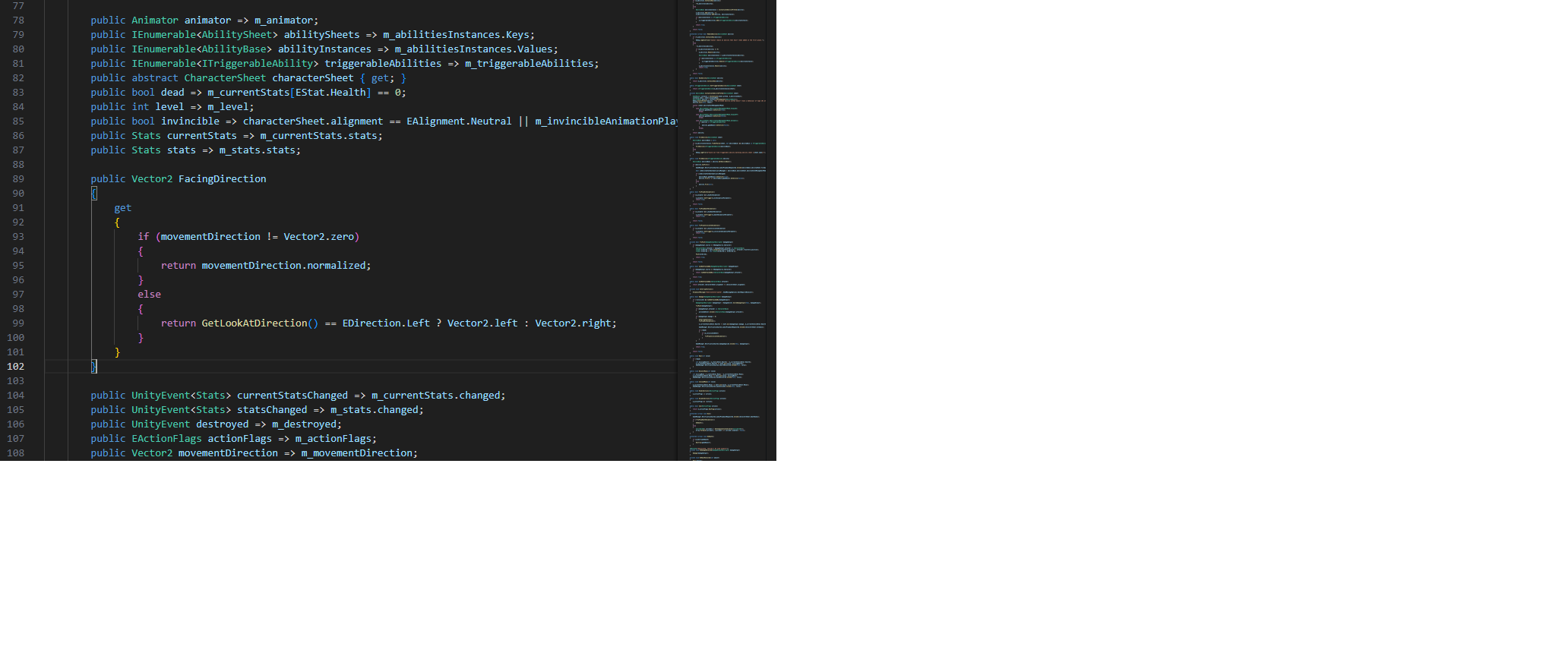
Open up CharacterBase.cs and insert this code with the properties up top. Screenshot of exactly where I put mine + the full file attached in case this makes no sense.
 public Vector2 FacingDirection
{
    get
    {
        if (movementDirection != Vector2.zero)
        {
            return movementDirection.normalized;
        }
        else
        {
            return GetLookAtDirection() == EDirection.Left ? Vector2.left : Vector2.right;
        }
    }
}
Then Open up ProjectileAbility.cs and replace your ThrowProjectile() method with this. Again, Screenshot of where I put mine + the full file attached in case this makes no sense:
private void ThrowProjectile(int projectileIndex)
{
    GameObject projectileInstance = m_projectilePool.GetAvailableInstance();
    projectileInstance.transform.position = m_projectileSpawnPoint.position;
    projectileInstance.SetActive(true);
    Projectile projectile = projectileInstance.GetComponent<Projectile>();

    Vector2 baseDirection = m_character.FacingDirection; // Get the character's current facing direction.

    float angleOffset = (m_sheet.spread / m_sheet.projectileCount) * projectileIndex - (m_sheet.spread / 2.0f);

    // Rotate the direction by the spread angle.
    Vector2 direction = Quaternion.Euler(0, 0, angleOffset) * baseDirection;

    projectile.Throw(DamageSolver.SolveDamageOutput(m_character,
m_sheet.damageDescriptor), direction, m_sheet.projectileSpeed);
}
Let’s cook!!
💬 Comments (8)
And of course you can replace “csharp” by any language:
Want to continue the conversation?