
(2.0) Real Gear Equip (That's Right!)


Display “ingame” the quipment you wear. Player, NPCs, Monster, you name it! It means you can mave infinite combinations of NPCs, and Monster You can extend to for eyes, heads, torsos, skin color, you name it!
I made it so that it requires the least changes.
1º: Replace your Character.cs file with the one in attachment.
2º: Add virtual in animation methods in your CharacterBase.cs, and add three methods TryPlayIsMovingAnimation , TryPlayMoveXAnimation , TryPlayMoveYAnimation. Add copy their code from CharacterBase.cs in attachment.
3º: Replace in the code all occorrencies of and for:
//m_animator.SetBool(m_isMovingAnimationParameter ...
TryPlayIsMovingAnimation()

//m_animator.SetFloat(m_moveXAnimationParamete
TryPlayMoveXAnimation()

//m_animator.SetFloat(m_moveYAnimationParameter
TryPlayMoveYAnimation()
4º: Change from private to protected the following:
m_hitAnimationParameter
m_deathAnimationParameter
m_invincibleAnimationParameter
m_moveXAnimationParameter
m_moveYAnimationParameter
m_isMovingAnimationParameter
m_lastSuccessfullMoveDirection
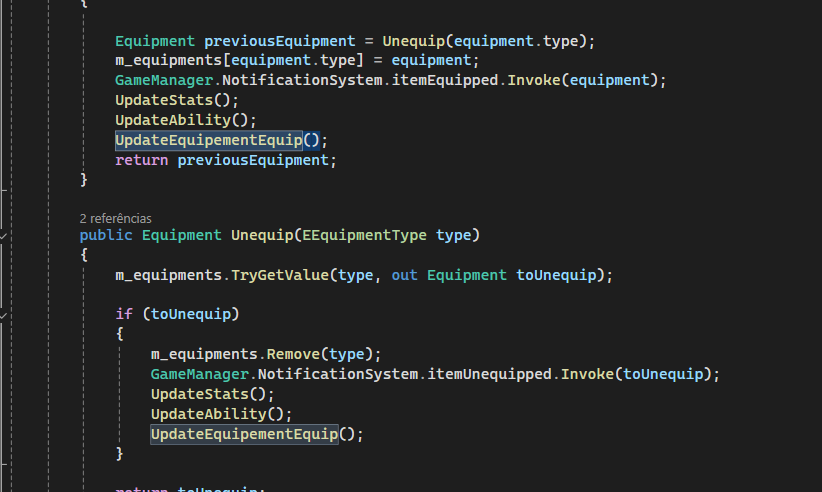
5º: Change file Hero to call UpdateEquipementEquip (print in attachment):
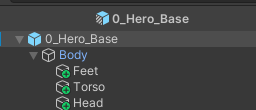
6º: In the prefab 0_Hero_base create objects that will contain the equipments:
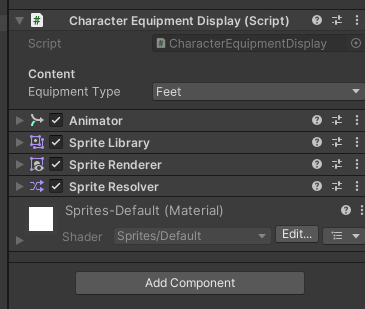
7º: Add the components in image. Change the “EquipmentType” accordingly:
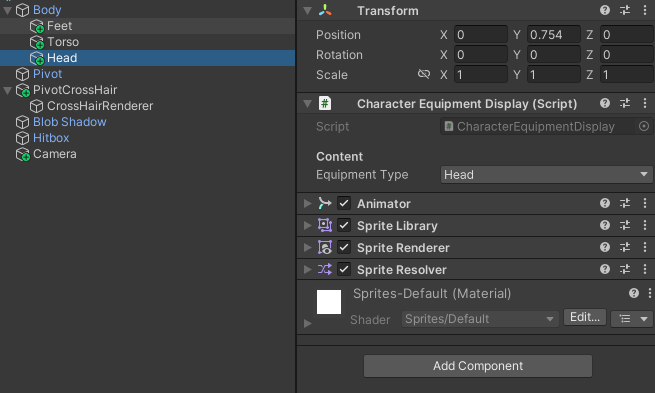
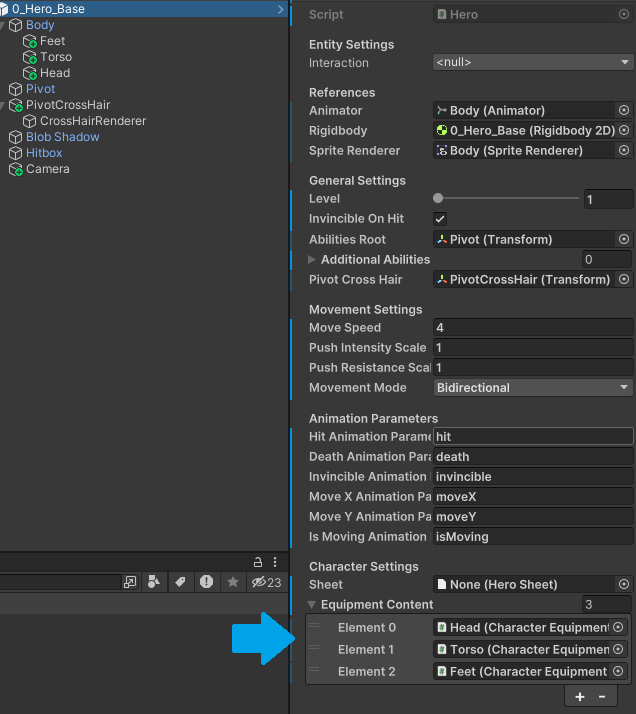
8: Add objs to the 0_Hero_Base:
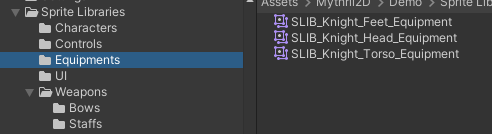
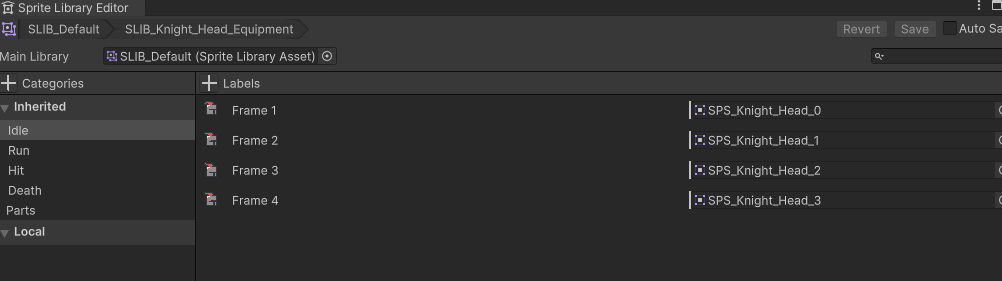
Now all is ready! Let’s make the libraries for the equipments. I added the sprites in the attachment. 9: Make a copy of any of the characters libraries. Change the library to have the sprites, in all the categories.
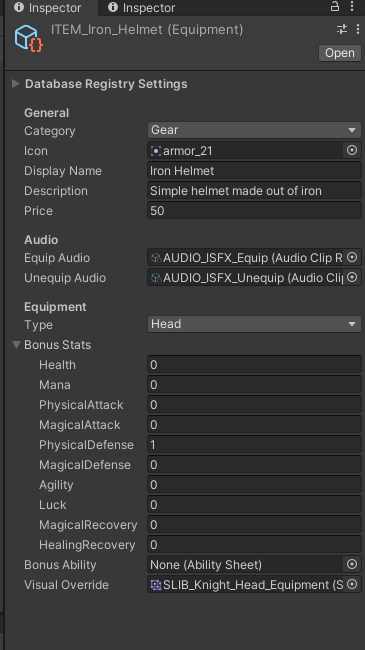
10: Add the library to the item in Visual Override:
ALL DONE! Enjoy!
IMPORTANT NOTES:
- You have to do the step
8ºfor all the heros. - You may need to ajust the “Y” position of the objects. Mine is set to
0.754.
Sprites
💬 Comments (10)
📜 Scripts
Want to continue the conversation?