
Destroy GameObject command
💡
3
🤩
1
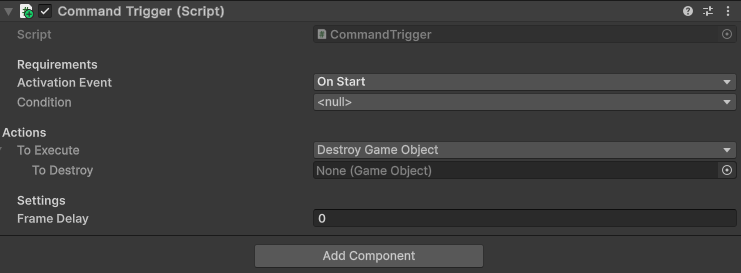
Add this script anywhere in your project to get a new command: “Destroy Game Object”
using System;
using System.Threading.Tasks;
using UnityEngine;

namespace Gyvr.Mythril2D
{
    [Serializable]
    public class DestroyGameObject : ICommand
    {
        [SerializeField] private GameObject m_toDestroy = null;

        public Task Execute()
        {
            UnityEngine.Object.Destroy(m_toDestroy);
            return Task.CompletedTask;
        }
    }
}
💬 Comments (0)
Be the first to comment! Join our Discord to share your thoughts.
Want to continue the conversation?