
Wearable System (Any Character) (3.*) 🪖👚🩳
🔥
5
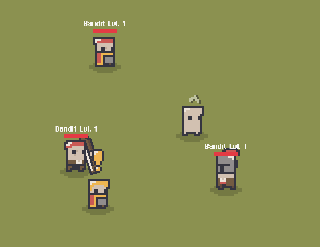
I found a way to make things even simpler since
** So lets start!**
Replace
Import and replace the existing files:
- AAnimationStrategy
- IAnimationStrategy
- Character
Import
Import this new “entity” into you entity->character folder
- NonPlayer.cs -> this opens up a way to add shared code between npc and monster. You can put it in Scripts\Entities\Characters\NonPlayer.cs
Changes:
NPC.cs, Monster.cs
To these files, add the NonPlayer has extended class:
//before: public class NPC : Character<NPCSheet>
public class NPC : NonPlayer<NPCSheet>

//before: public class Monster: Character<MonsterSheet>
public class Monster: NonPlayer<MonsterSheet>
Hero.cs
//in Equip method before "return previousEquipment", add:
UpdateWearables();

//in Unequip method before "return toUnequip", add:
            UpdateWearables();
And remove the:
        private SerializableDictionary<EEquipmentType, Equipment> m_equipments = new();

//and
        protected SerializableDictionary<EEquipmentType, Equipment> equipments => m_equipments;
CharacterBase.cs
Add what we removed from the Hero here, making it protected and the other public;
        protected SerializableDictionary<EEquipmentType, Equipment> m_equipments = new();

//and
        public SerializableDictionary<EEquipmentType, Equipment> equipments => m_equipments;

//and
[Header("Wearable")]
[SerializeField] protected Wearable[] m_wearables = null;
Now follow this tutorial https://discord.com/channels/1090763611938496553/1366096538807308389 starting from the topic “Enough of changes, lets have some fun!”. Note you should do the changes to all base prefabs (i.e. 0_Hero_Base, 0_Monster_Base, 0_NPC_Base), but you can just copy and past the new objs.
That’s It!!! Check the comments for any updates
I added the CharacterBase.cs and the Hero.cs just in case you need it.
💬 Comments (5)
make sure you you wearables (i.e. torso, head, feet, ….) have an animation stractegy assigned and its the same has the the body (in can se you care still using that).
You can always debug the stractegy class and check the “SetLookAtDirection” method to undestand whats wrong. Standard is “BidirectionalAnimationStrategy” class
Want to continue the conversation?