
Species & Element & Ability Specific 🪄🔥
 6
6
 2
2
 2
❄️
1
2
❄️
1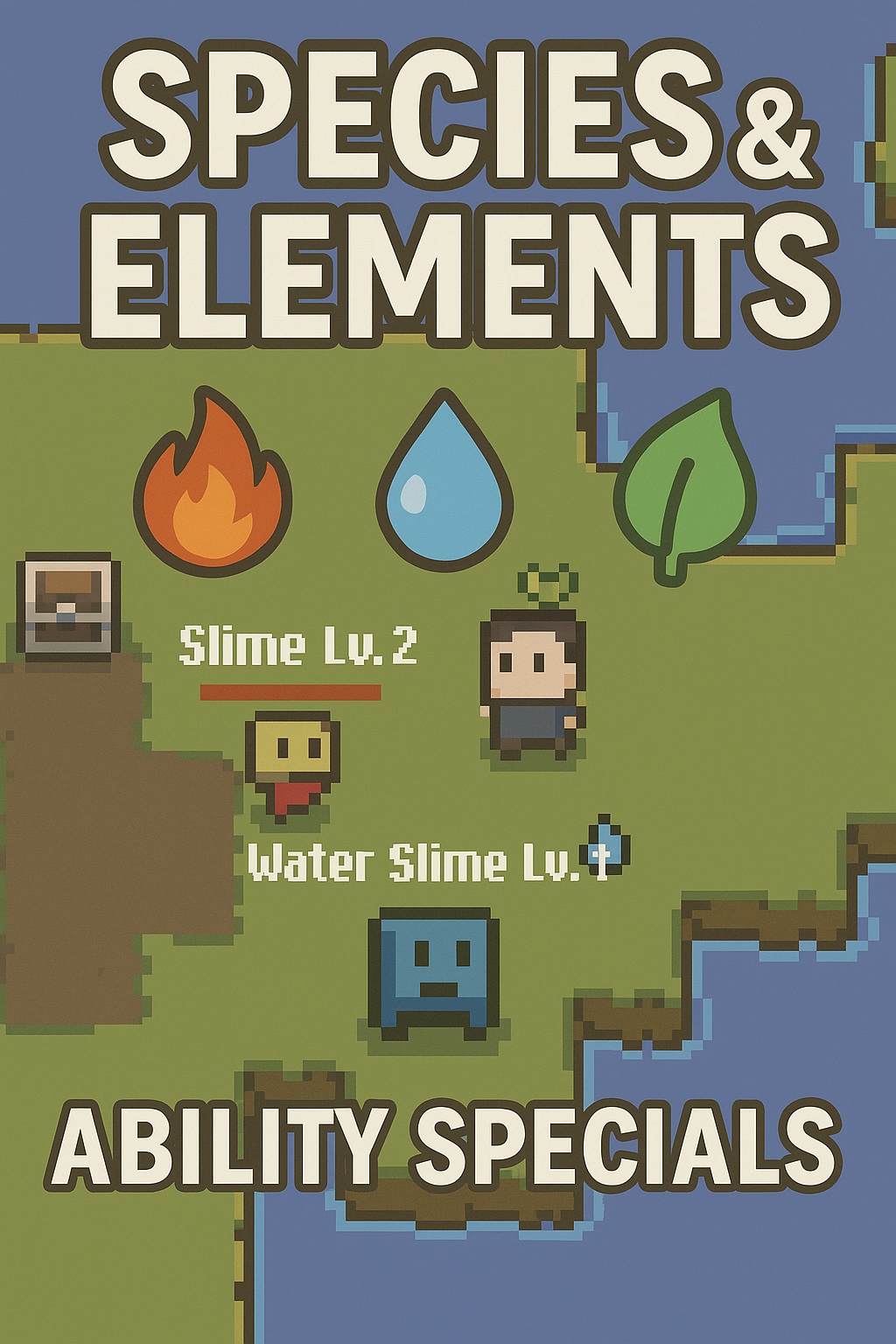
Easy feature to add species (undead, human,..) and element (fire, water,…) to your game, and includes abilities that trigger only for specific elements, such as:
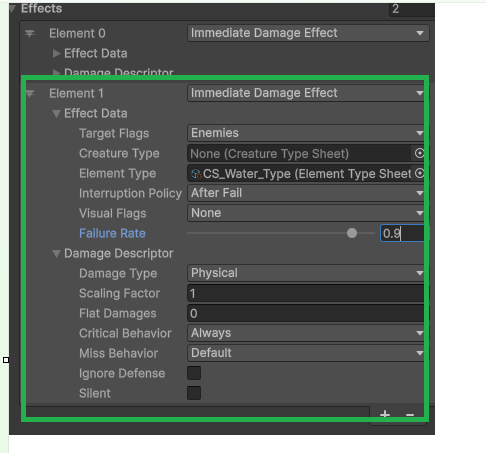
- 10% chance critical agains fire enemies*
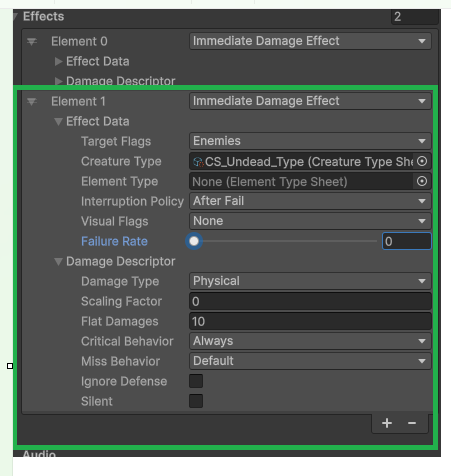
- +10% damage agains undead *
*How to make this example in the Examples section bellow *
*In the video in attachment i have (100% chance 70damage to all water types) *
Setup
- Import the files (CreatureTypeSheet.cs; ElementTypeSheet) into runtime->database->character->types)
- (optional) export zip and import the sprites into sprites folder
Changes
AssetMenuIndexer.cs
        public const string Mythril2D_CreatureTypes = Mythril2D + "Characters/Types/Creature Type";
        public const string Mythril2D_ElementTypes = Mythril2D + "Characters/Types/Element Type";
AEffect.cs
        protected struct EffectData
        {
            public EEffectTargetFlags targetFlags; //add this
            public CreatureTypeSheet creatureType; //add this
          ....
        }
Replace the method IsTargetValidBasedOnFlags with:
`csharp
 private bool IsTargetValidBasedOnFlags(CharacterBase target)
 {
     return
         //flags
         (m_effectData.targetFlags.HasFlag(EEffectTargetFlags.Anything) ||
         m_effectData.targetFlags.HasFlag(EEffectTargetFlags.Self) && target == m_effectData.source ||
         m_effectData.targetFlags.HasFlag(EEffectTargetFlags.Allies) && CombatSolver.AreAllies(m_effectData.source, target) ||
         m_effectData.targetFlags.HasFlag(EEffectTargetFlags.Enemies) && CombatSolver.AreEnemies(m_effectData.source, target)) &&
         //creature type
         (m_effectData.creatureType == null || m_effectData.creatureType == target.characterSheet.creatureType) &&
         //Element type
         (m_effectData.elementType == null || m_effectData.elementType == target.characterSheet.elementType);
 }
** CONTINUE IN THE COMMENTS**
CharacterSheet.cs
Add the following properties:
        [SerializeField] private CreatureTypeSheet m_creatureType;
        [SerializeField] private ElementTypeSheet m_elementType;


        public CreatureTypeSheet creatureType => m_creatureType;
        public ElementTypeSheet elementType => m_elementType;
Make it happen
- Create in database->characters->types two folder (creature types, element types)
- Inside each create as many types as you want
- open characters and set the types you want (creature, element, or both!)
- Note: i’ve set the slime (animal) and water slide with (animal, water)
- Open or create an ability, add an effect to it or change an already existing one and set creature and/or type ou want for the ability.
#Examples In these examples i use the Quick Shot which comes with Mythril already, i just add the effects to it.
*Basically you’l have 2 effects, the normal one (if it exists) and the one that sets these conditional abilities. So for example a sword will always do damage, but you want “extra” damage for specific conditions.
10% chance critical agains water enemies*
*Note: the failure rate it’s set to 0.9 (90%) because it’s not rate of success but failure, so you need to have that in consideration
+10 damage agains undead*
Note: put the “Critical behaviour to “Default i forgot that ^_^
💬 Comments (3)
Want to continue the conversation?