
EXP Bar Add-On
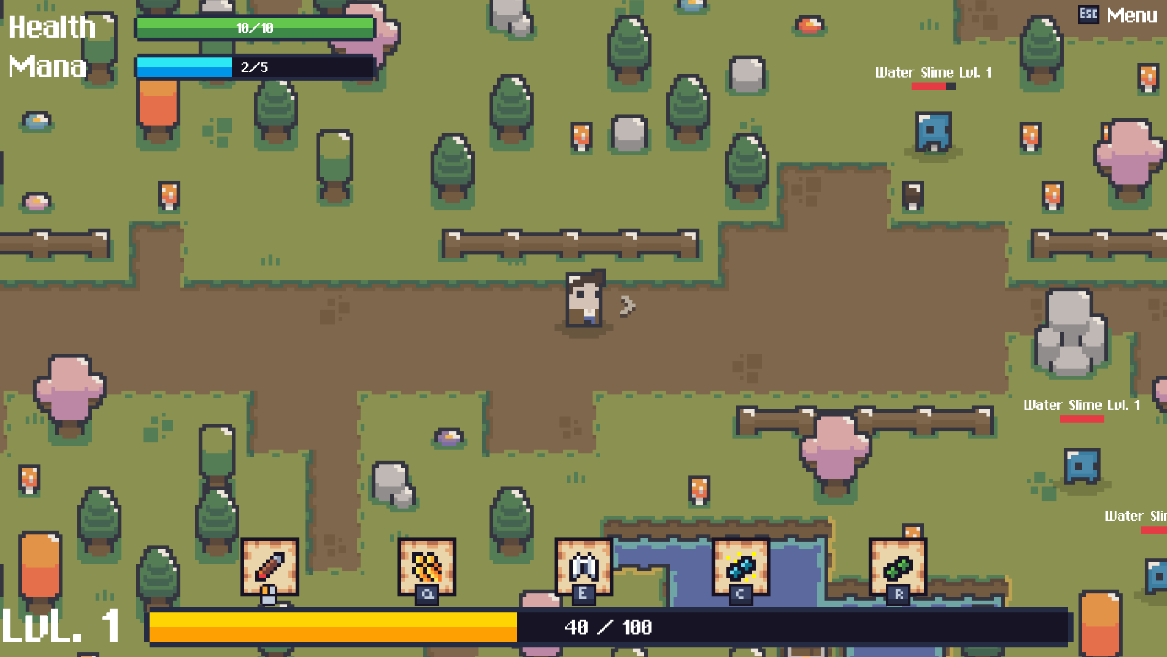
Experience Bar Implementation Guide
1. UI Setup
plaintext
1. Open the User Interface prefab, Duplicate Mana Bar in your HUD
2. Rename to "ExperienceBar"
3. Remove UIStatBar component
4. Add UIExperienceBar component (will be attatched to this guide)
5. Customize stuff
2. Verify Hero.cs
// Ensure these properties exist:
public int experience => m_experience;
public int nextLevelExperience => GetTotalExpRequirement(m_level + 1);

// Verify experience field:
private int m_experience = 0;
3. NotificationSystem.cs
// Verify these events exist:
public UnityEvent<int> experienceGained = new();
public UnityEvent<int> levelUp = new();
4. Constants.cs
// Verify these constants:
public const int MinLevel = 1;
public const int MaxLevel = 100;
The UIExperienceBar component will handle all the animations and updates automatically once these pieces are in place. There are options for animation duration, pulsing color, etc. to help you customize your level up experience. Also, by default if you followed the guide, the EXP bar will be at the top grouped with the Player HP and MP. To change this and put the EXP bar anywhere you want, just drag the Exp Bar game object outside of the “Resource Bars” game object to free it from it’s captivity! I’m sure i probably forgot something, as is my nature, but I hope you guys enjoy watching the EXP go up as much as I do!! Feel free to edit to your hearts content!
For the MAX player level in constants, I’m pretty sure you can put it to whatever you want without breaking anything. I just have mine set to max level 100 with a requirement of 4.9 mil exp to reach because… grindfest
💬 Comments (40)
📜 Scripts
and the addexperience method is changed with this at the final
GameManager.NotificationSystem.experienceGained.Invoke(experience);
Sorry for my ignorance, I don’t have much experience with C# or programming in general, but I do use some scripts in my game. For this experience bar one, do I just create a MonoBehaviour with the script you added, or do I need to change something inside the code?
From what I understood, it’s just a matter of following what’s in the UI setup and then configuring things in the Inspector.
Did I get that right, or is there anything else I need to do?
Sorry for the silly questions, but I’m new to gamedev in general.
@Jables sorry for the ping, i dont know if you receive notifications from old posts
Want to continue the conversation?