
Visual Quest Editor v1
 1
1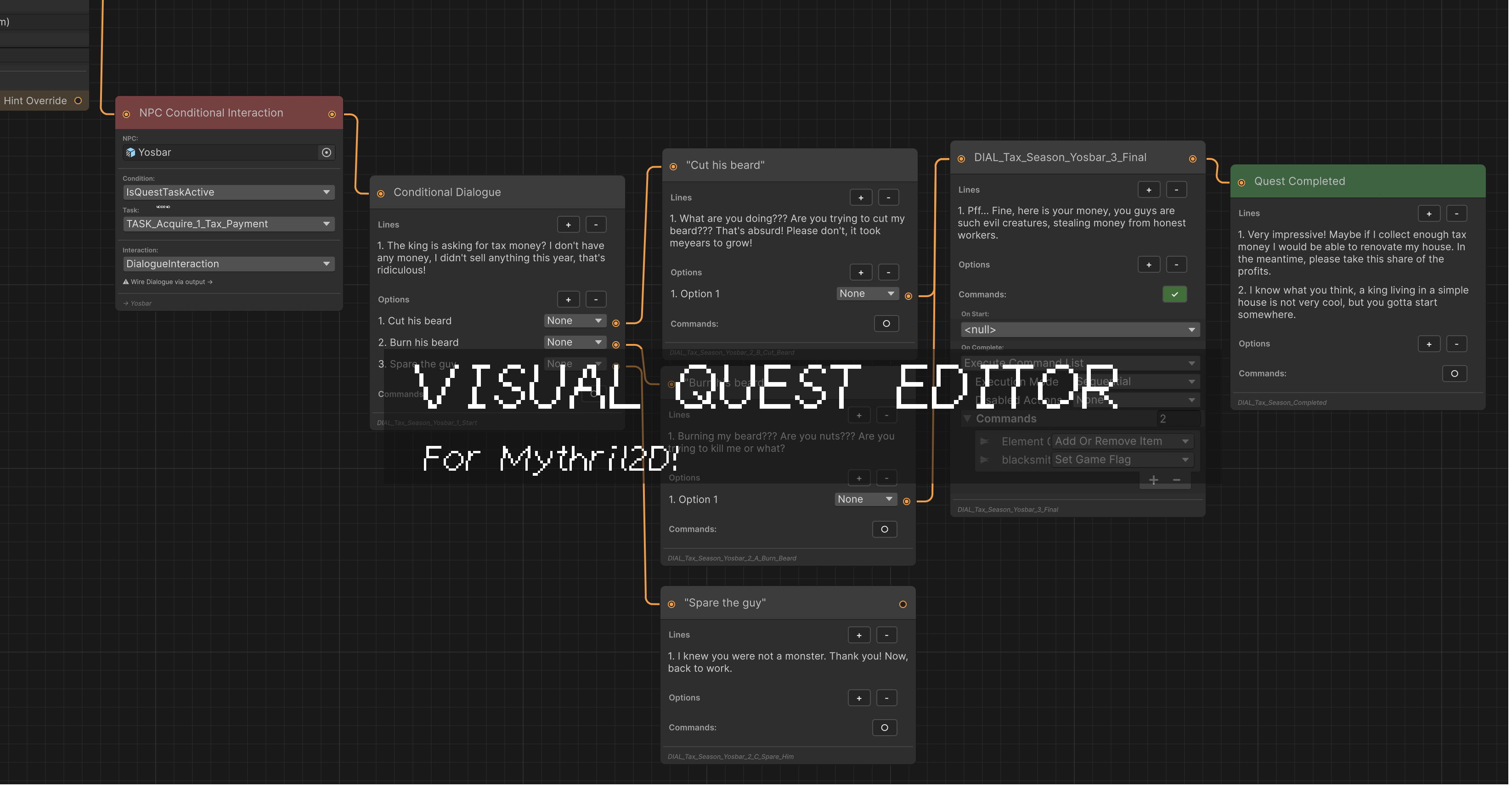
This is in part of my editor overhaul project, along with <#1466083278539853935>. Check it out if you haven’t already! This addon is a WIP. Please read below and see comments for documentation!
Purpose:
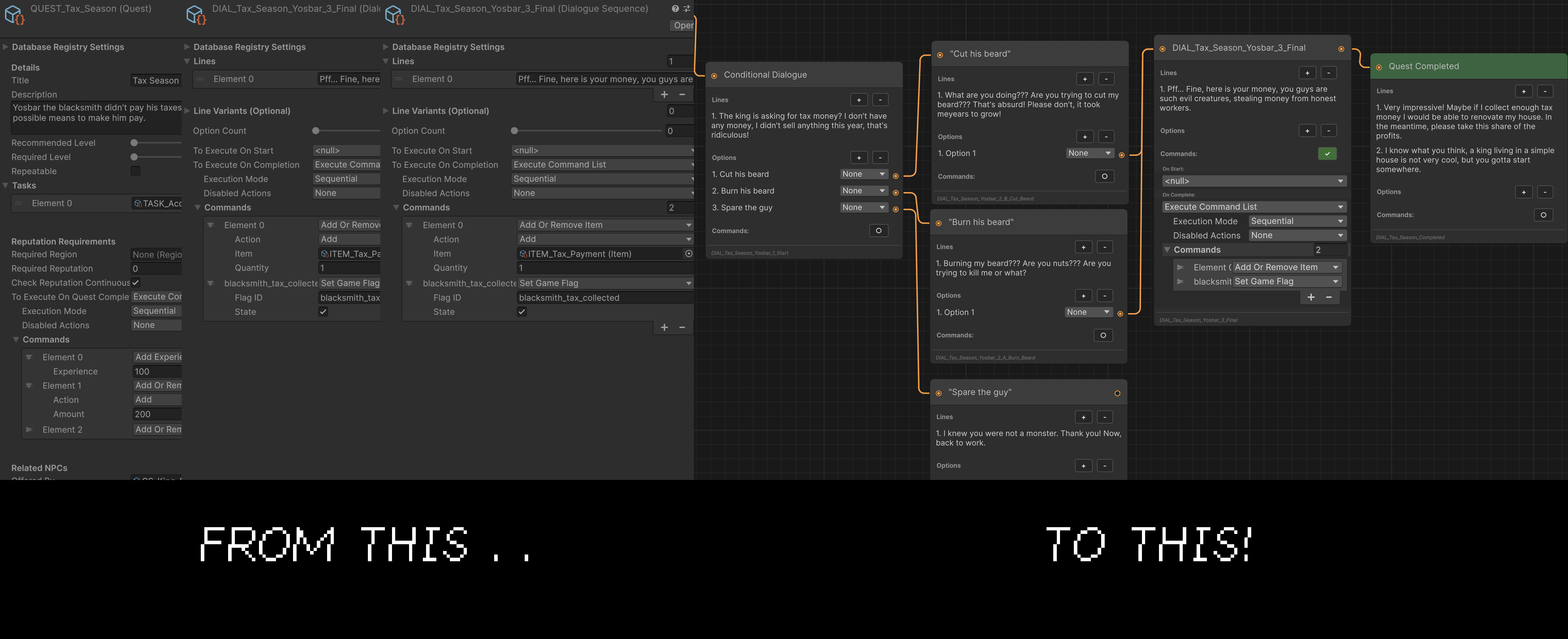
Save time creating quests while having a clear visual graph of its structure. Provide an inspector-free quest creation experience, without modifying any M2D code as a drag and drop addon.
⚠️ Notice: This has been tested on a clean M2D3 install with no issues. I’ve tried my best to have the script set up and handle pre-existing quests, fully wired. However, the node layout will need some adjusting, and the setup for pre-existing quests in the visual editor may be wrong. If it is, this WILL NOT affect your actual quest data. They may appear incorrect in the visual editor, and is totally up to you should you choose to re-wire them.
I will be making updates to this periodically, and always thinking of how I could expand this system into other M2D features, so please let me know if you encounter any issues, or have any suggestions. Thanks, and have fun!
How to Install
Simply download the assetpackage and install its contents! -# To uninstall, delete the files and all _graph files it created.
Features
Everything at a glance, with the Visual Quest Editor Window! Create Quests faster: Create all your quest files and attach them in the visual editor Cleaner File Structure: For new quests created, all DIAL_ and TASK_ SOs are found collapsed in the QUEST_ file). **Easy editing: **Changing the quest title on the info node will rename EVERY file to fit the new quest name. You can adjust all text by double clicking it on the node. You can also manually adjust each file name by clicking the file name on the bottom of the node. NPC Interaction Editing You can add and adjust Conditional Commands on NPC prefabs for quests with the Conditional Command node straight in the visual editor
Visual Quest Editor [EARLY RELEASE]
Documentation
Accessing the Editor
There’s multiple ways you can access the menu. For a clean slate, open Window>Mythril2D>VisualQuestEditor. For pre-existing quests, there’s 3 ways:
- Double click the quest to open it in a new window from the Project window or M2D Database
- Right click the quest and select “Open in Visual Quest Editor”
- Click “Open” if viewing the quest in inspector
Navigating the Editor
On the top of the window, you’ll see a toolbar. This has a few features: New Quest: Creates a new quest at the chosen directory. it will add the QUEST_ prefix for you automatically. Quests created in the editor will also have nested files, so there’s no need for individual quest folders. Creating a new quest will automatically create and assign your Offer, Hint and Completed SOs/Nodes. Load to Available Quest on Save File Exactly that. It will edit the SF and add your new quest as available, ready to test in-game. Pan Mode: Click and drag to move around the space Select Mode Click and drag to draw a rectangle to select multiple Nodes & Wires simultaneously Auto-fit: Adjusts the view to ensure all nodes are visible on screen. Right click on an empty space to create a Node. Undo/Redo functions supported
Nodes
All Scriptable Objects you’ll need for your quests have been turned into nodes! This includes: Quest Info, Quest Offer, Quest Hint (Default), Quest Completed Created automatically, cannot be removed. Dialogue: Creates a dialogue SO Tasks: TalkToNPC, KillMonster, CommandTask, ItemTasks Hint Overide: Wire this to a Tasks ‘Hint override’ connecter to change the hint text. Conditional Interaction: While not always quest related, this has also been added as a node. This will apply Interaction settings directly to your NPCs prefab. As Interactions aren’t assigned in quest structures, there’s no need to link its input. But the connector is there for visual flow purposes
–
I can record a walkthrough of creating a quest with the system to post here, but it should be pretty straightforward if you’re familiar with the M2D quest system already.
As I said, please let me know of any issues or suggestions! I’d love to expand this system further in future. But for now, I’ve had enough of it 😆 I’ll fix any issues ASAP though
One more thing, custom info won’t appear in the editor. e.g I have custom reputation requirements for quests. These can still be accessed in the inspector of course. I think it’d be cool in a future update to add a Custom section for nodes that displays anything thats not in base M2D code
💬 Comments (2)
Want to continue the conversation?